COKSA LABS · TOOLS I BUILT

APPS.

Programs I built for my own work, because existing tools didn’t do what I needed. Now I share them for free, especially with students: a seminar paper to PDF, a presentation too big to upload, images for the web, all in a few seconds.

Dropwheel ikona

DROPWHEEL

WINDOWS · FREE

Drag a file. Press Shift. Drop it on a format.

Convert images, video and PDFs straight from your folder, without hunting for online converters or uploading files to someone else’s server. Everything runs on your computer.

Windows 10/11 · updates itself · Android coming soon
01

Drag

Grab an image, video or PDF with your mouse.

02

Shift

A wheel of formats and actions appears.

03

Drop

The new file lands right next to the original.

Images

JPG, PNG, WEBP, AVIF, TIFF, ICO, compression, web and Instagram sizes

Video & audio

WhatsApp and Reels presets, compression, mute, format conversion

PDF

Compress large PDFs, merge, PDF to images or Word

For students

Seminar papers and presentations from Word and PowerPoint to PDF in one move (requires MS Office)

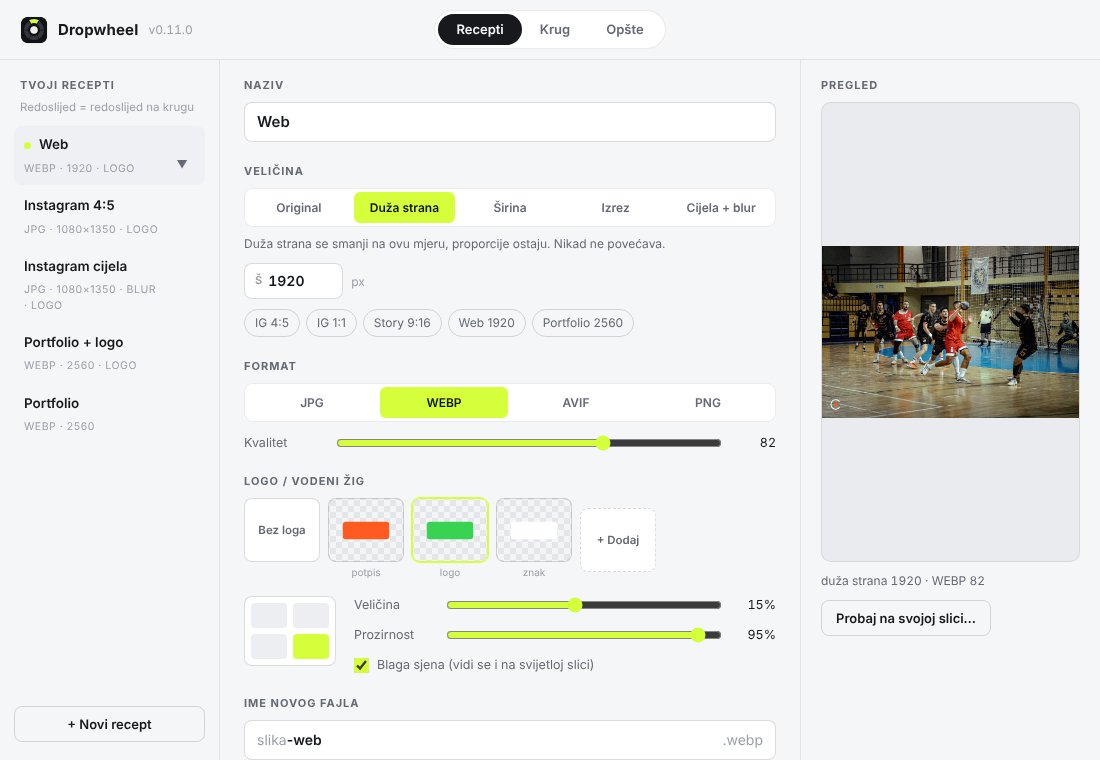
Recipes

Size, format and watermark in one step, e.g. “Instagram 4:5 with logo”

For photographers

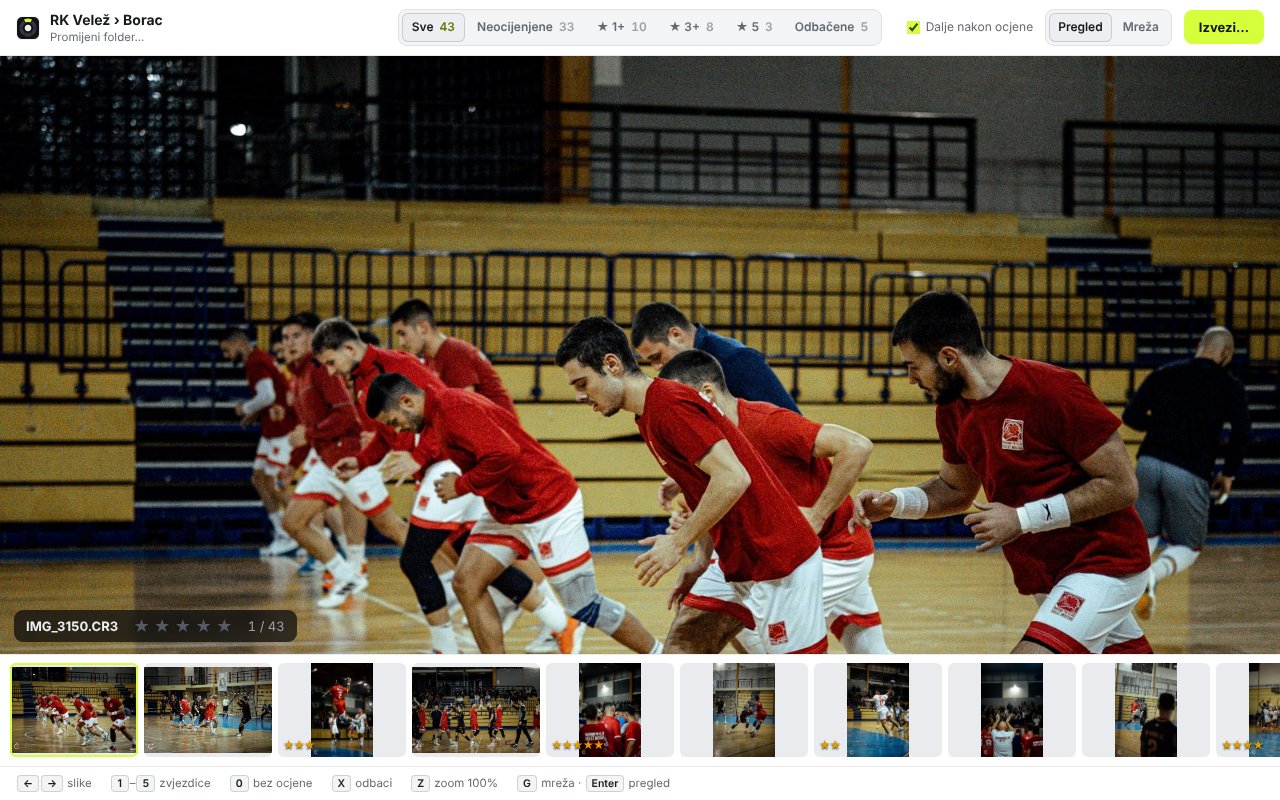
Import from SD card (CR3) and fast photo rating that Lightroom reads automatically
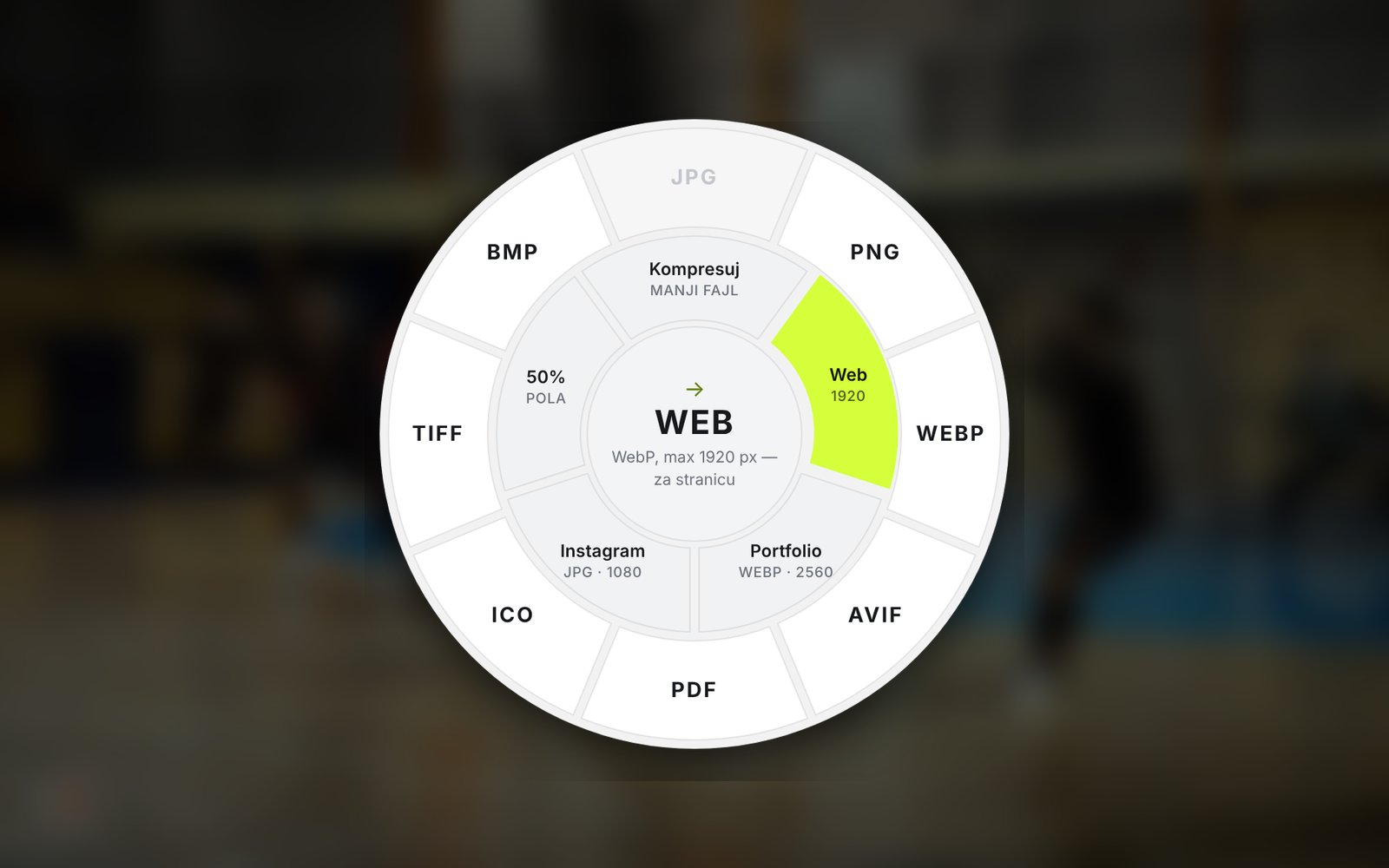
The app isn’t code-signed yet, so on first launch Windows may show a blue “Windows protected your PC” screen. Click More info → Run anyway.
VIDEO · 25 SECONDS · IN BOSNIAN

Seminar paper to PDF by midnight?

Watch a student go from panic to a PDF that looks exactly like the Word file, in a few seconds.

WHAT IT LOOKS LIKE

Dropwheel – The wheel
The wheel
Dropwheel – Recipes
Recipes
Dropwheel – Photo culling
Photo culling
Lens, the Ostrvo mascot

OSTRVO

NEW · WINDOWS · FREE

Hold right Ctrl. Say it. Done.

An AI assistant that lives at the top of your screen. Mail, reminders, Word quotes, music, weather and photos from your phone, without typing or switching windows. It speaks Bosnian, Croatian and Serbian.

Windows 10/11 · updates itself · page in Bosnian, English soon
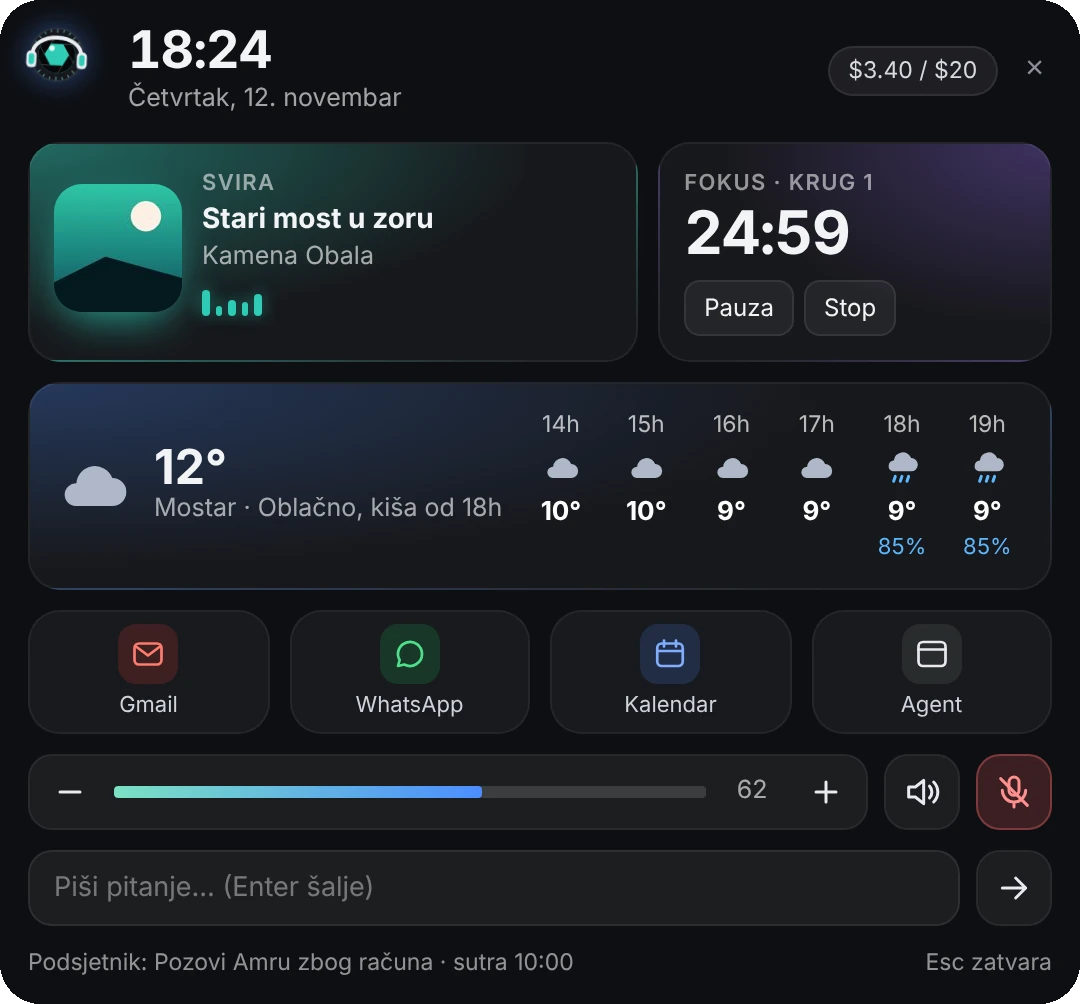
Ostrvo hub: music, focus timer, weather and shortcuts

Voice

Hold right Ctrl and talk. Lens writes, searches and makes quotes in Word.

Mail

Gmail and Outlook. Important mail arrives already summarized, with a Remind me button.

Phone

Photos and files from your phone to your PC with a QR code, no cable.

Music

A card in the album cover color, lyrics with translation, and Lens dances.

Weather

12 hours and 7 days for your city, with a heads-up before it rains.

Safe

Never deletes and never sends anything. Overwrites always wait for your click.

FAQ

Is Dropwheel safe?

It runs only on your computer. Your files are never sent anywhere, and the original is never changed: the new file appears next to it. If you don’t like the result, click Poništi (Undo) on the card that pops up.

Why does Windows show a blue warning?

The app doesn’t have a paid code-signing certificate yet, so Windows doesn’t recognise it. Click More info → Run anyway. You only see this when installing.

Do I need Microsoft Office?

Only for Word, Excel and PowerPoint to PDF. Dropwheel uses your installed Office for that, which is why the PDF looks exactly like the original. Images, video, audio and PDFs work without Office. Many universities give students Office for free through their student email.

Does it work offline?

Yes. It needs the internet only once, to download the video tool on first launch (about 115 MB), and to check for new versions.

How much does it cost?

Nothing. No ads, no sign-up, no subscription.

Is there a Mac or phone version?

Windows 10 and 11 only for now. An Android version is in the works.

Need a custom tool or app?

© 2026 COKSA · MOSTAR